Customer tags
Customer tags label customers as VIP, Hot lead or Angry. The agent and Ecbot apply them for you, and some tags pass the chat to your staff.
Customer tags are labels such as VIP, Hot lead or Angry that help your team sort customers. Each workspace has its own list. The agent and Ecbot add tags automatically, your staff can add them by hand, and a tag can be set to pass the conversation to your staff as soon as a customer gets it.
Manage tags
Open Customer tags under Customers in the sidebar.
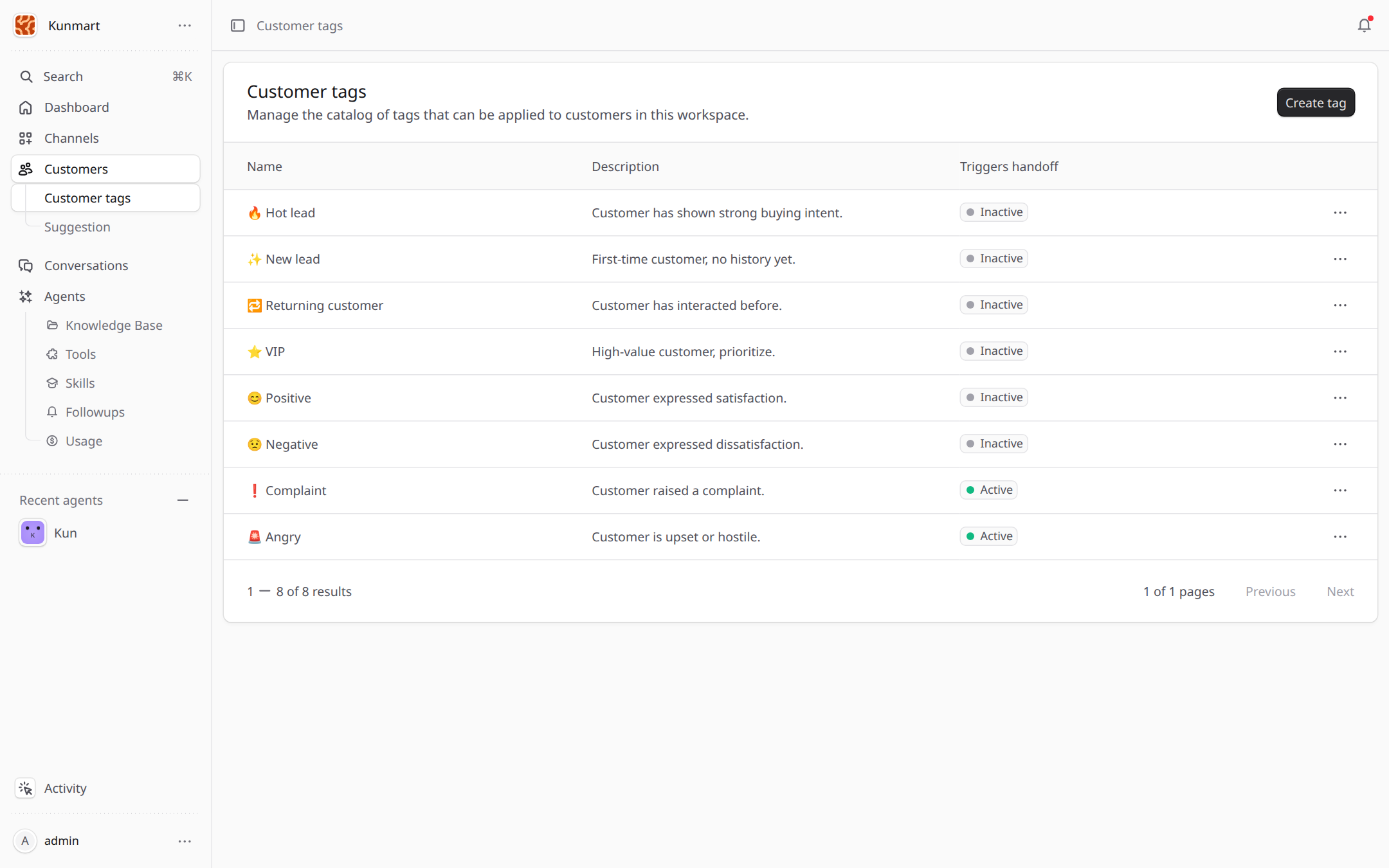
- 1Create tag adds a tag.
- 2Triggers handoff marks tags that pass the chat to your staff as soon as a customer gets them.
Each tag has:
- a Name, unique in your workspace (up to 64 characters);
- an Emoji shown next to the name;
- a Description, which the agent reads to decide when the tag applies, so write it as a rule, for example "Customer mentions a wholesale order of 50 units or more";
- Triggers handoff, to pass the chat to your staff when the tag is added.
How tags get added
| Who | When |
|---|---|
| The agent | During a chat, when the description matches what the customer says. Adding a handoff tag passes the chat to your staff right away. |
| Ecbot | After a conversation is resolved or has been quiet for 30 minutes, Ecbot reads the recent messages and updates the tags that do not trigger a handoff. |
| Your staff | Any time, with Add tag in the customer panel of a conversation. |
Use handoff tags for signals that need a person quickly, such as an angry customer or a complaint.
Frequently asked questions
Hot lead, New lead, Returning customer, VIP, Positive, Negative, Complaint and Angry. Complaint and Angry trigger a handoff by default.
The agent during a chat, Ecbot after a conversation ends, and your staff by hand in the customer panel.
Yes. The defaults are ordinary tags in your workspace. Edit or remove them like any tag you create.