Channels
Connect your agent to Facebook Messenger, Zalo, Telegram, WhatsApp or a chat widget on your website so it replies where customers already message you.
A channel is a chat app where your agent replies to customers. Ecbot connects to Facebook Messenger, Zalo, Telegram, WhatsApp, a chat widget for your website and a REST API channel for developers. One agent can reply on all of them, and each connected page or bot is called an account.
Connect a channel
Open Channels in the sidebar and choose Connect account. Pick a platform:
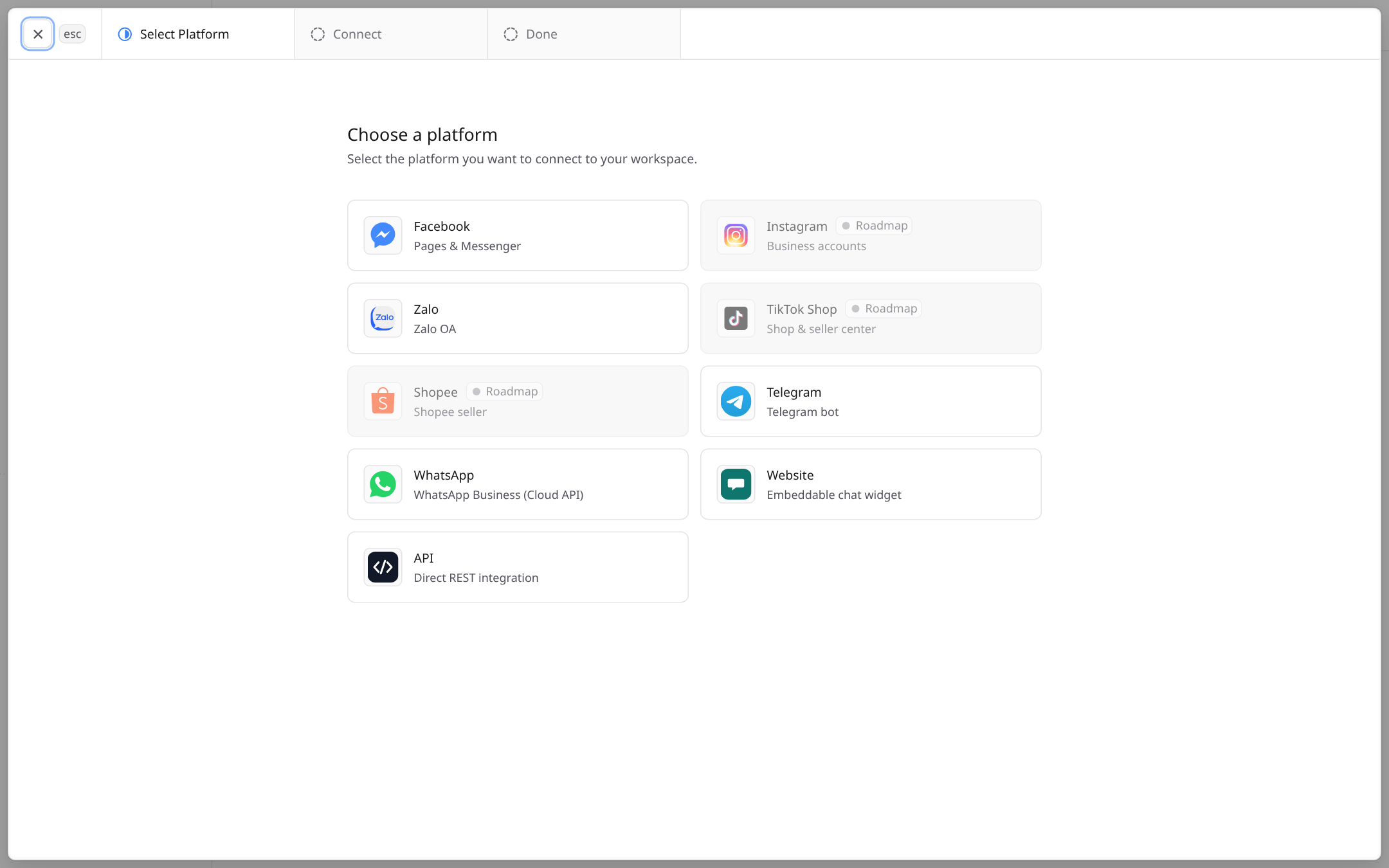
- 1Available platforms open a short connect step.
- 2Platforms marked Roadmap are coming later and cannot be connected yet.
- 3Website gives you a chat widget to paste into your site.
After connecting, open the agent's page and link the account so the agent answers its messages.
Website widget
- Choose Website.
- Add every site address that will show the widget, for example
https://yourshop.vn. - Copy the embed code and paste it before
</body>on your site.
The widget only loads on the addresses you allowed.
Telegram
- In Telegram, message @BotFather, send
/newbotand follow the steps. - Copy the token BotFather gives you.
- In Ecbot, choose Telegram and paste the token.
Facebook Messenger, Zalo and WhatsApp
Choose Facebook, Zalo or WhatsApp and sign in with the account that manages your Facebook Page, Zalo OA or WhatsApp Business number. Pick what to connect, then link it to your agent.
REST API
The API channel lets your own app send customer messages to the agent and receive replies. It is meant for developers; the channel page shows the keys and endpoint.
Frequently asked questions
Yes. Connect as many channels as you need to the same agent. Each customer's profile and tags are shared across the channels they write from.
No. The widget key is visible in your site's code by design. What protects it is the list of allowed websites, so only your own domains can load the widget.
Not yet. They are marked Roadmap in the app. Today Ecbot supports Facebook Messenger, Zalo, Telegram, WhatsApp, the website widget and a REST API channel.
Usage
The Usage page shows how much of your plan's AI quota your agents used, broken down by day, agent and channel, with alerts before you run out.
Customers
Every person who messages your agent gets a customer profile that follows them across channels. Merge duplicates and take over chats from your staff.