Tools
Tools let your agent check stock, look up or create orders and read a sheet in your own systems, through your API, an MCP server or a marketplace app.
Tools connect your agent to other systems so it can do more than answer questions. With a tool, the agent can check stock, look up an order, create an order or read a Google Sheet. Each agent only uses the tools you add to it, and each call is logged so you can see what the agent did.
Create a tool
Open Tools under Agents in the sidebar and choose Create:
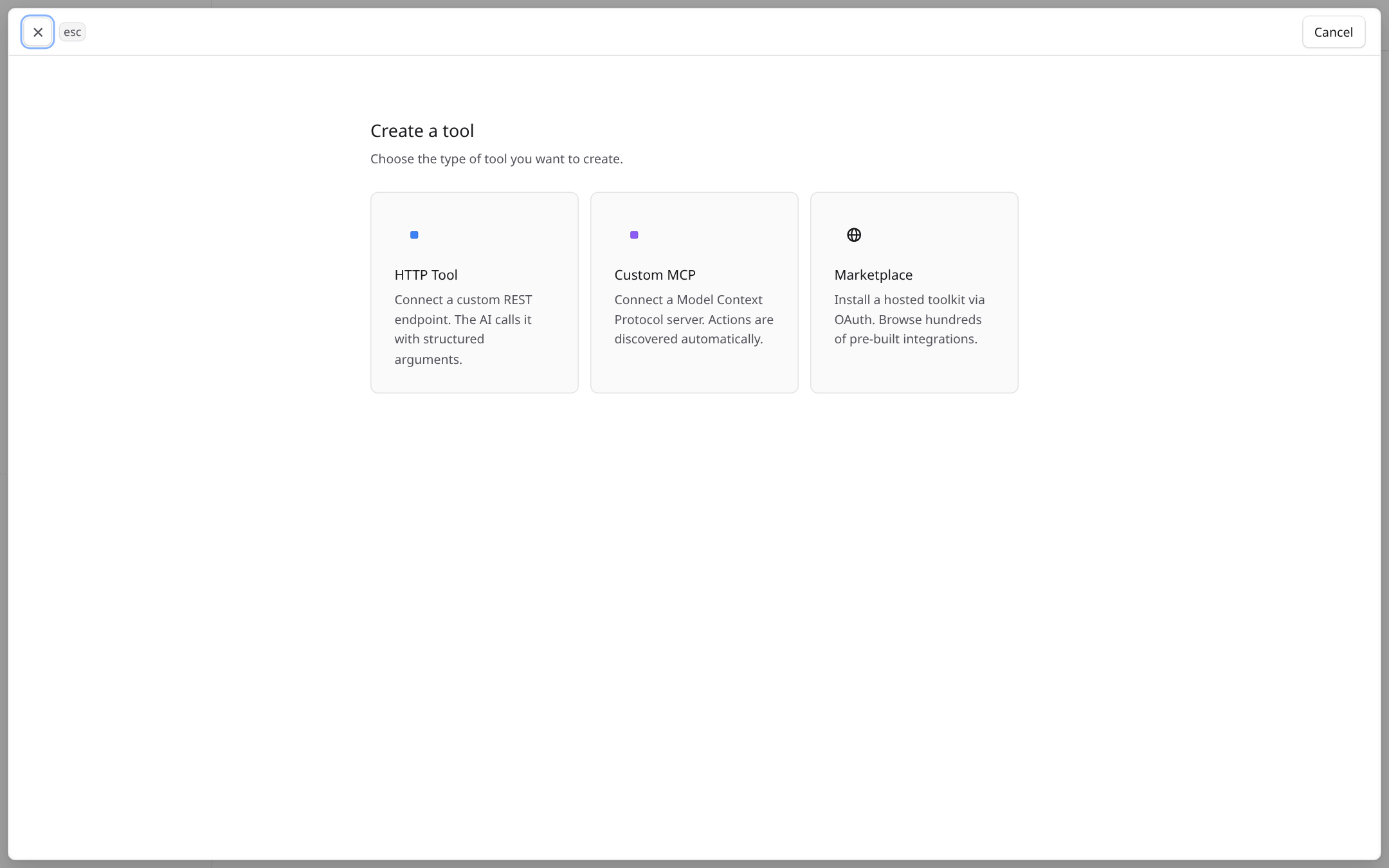
- 1HTTP Tool calls an endpoint on your own server. Set the URL, method and authentication, then use the test to check the response.
- 2Custom MCP connects to a Model Context Protocol server. Ecbot discovers its actions, and you turn on the ones you want.
- 3Marketplace installs a ready-made app, such as Google Sheets, with one sign-in.
Add a tool to an agent
Open the agent's page, go to the Tools section and choose Add. For MCP and marketplace tools you can switch each action on or off for this agent. The Recent invocations list on the same page shows each call the agent made, with its input and result.
Write good tool descriptions
The agent decides when to call a tool from its name and description. Say what the tool returns and when to use it, for example "Look up stock for a product name or SKU. Use before telling a customer an item is available."
To teach the agent a full procedure that uses several tools, write a skill.
Frequently asked questions
A tool does something, such as looking up stock in your system. A skill is text that explains how to handle a kind of request. A skill can tell the agent which tools to use.
The marketplace lists hosted apps such as Gmail, Google Sheets and KiotViet that connect with one sign-in. Each app shows the actions it offers, and you choose which ones the agent may use.
Turn on only the actions the agent needs to serve customers. A customer can ask the agent anything, so avoid enabling actions that read private files or change data unrelated to the agent's job.