Agents
The agent builder turns a short description of your business into a working agent by asking one question at a time about tone, facts and rules.
The agent builder creates an agent from a short description of your business. It asks one question at a time about your shop, how the agent should talk and when it should pass the chat to you, and fills in the answers it can work out from your description. A test chat sits beside the questions so you can try the agent before you turn it on.
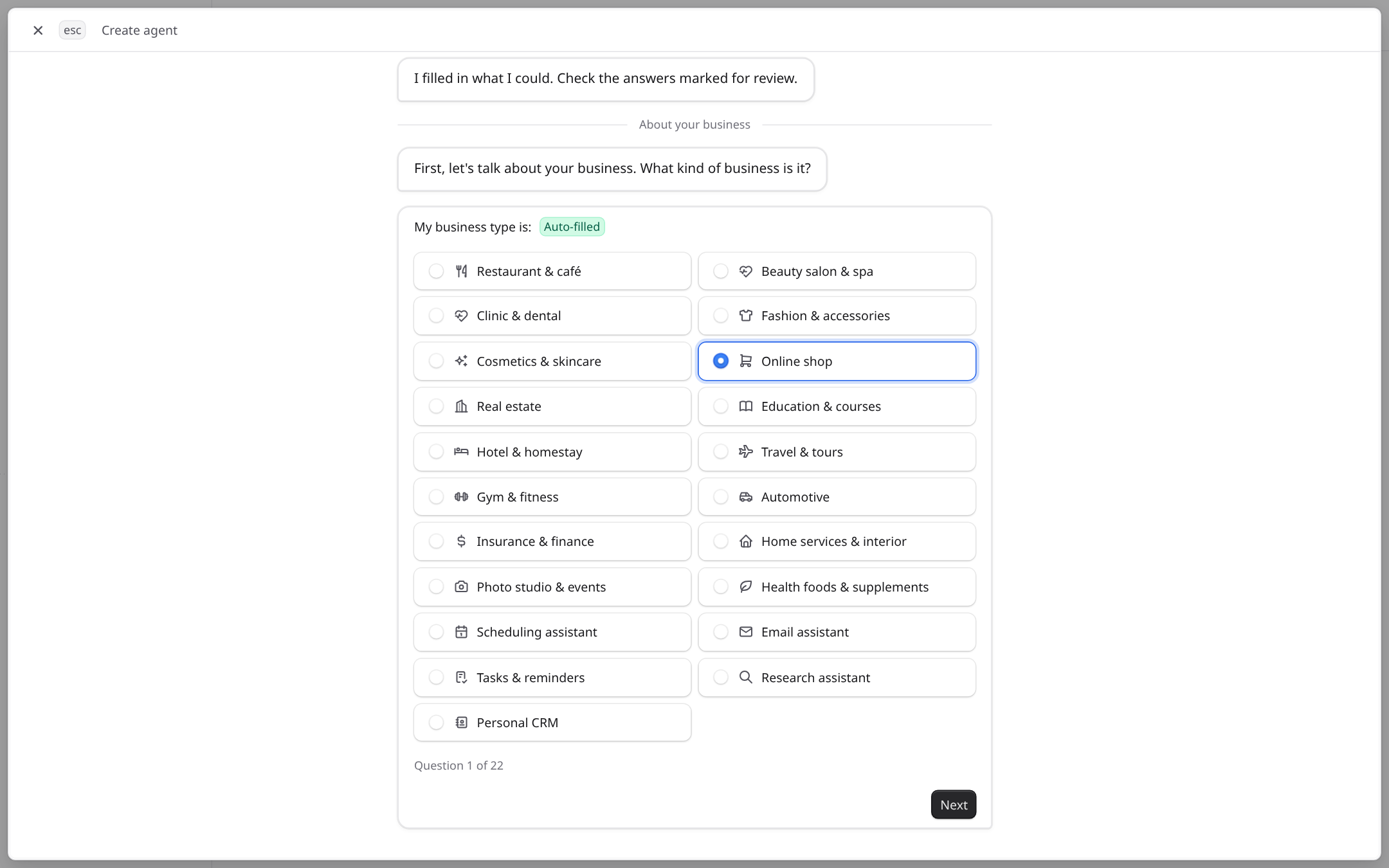
- 1Answers the builder filled in for you are marked Auto-filled. Check them and change anything that is wrong.
- 2The counter shows how many questions are left.
- 3Next saves the answer and moves on.
What the builder asks
- About your business: the type of business, its name, the agent's name, the greeting and what makes your shop different.
- Voice: words that describe your brand and how formal the agent should sound.
- Business facts: shipping fees and times, delivery, payment methods, returns and warranty. Short facts belong here; long documents belong in the knowledge base.
- How it works: the details the agent collects from a customer who is ready to buy, and when it hands the chat to you. See Customers and handoff.
- Rules: things the agent must never do, and what it does when it is unsure.
- Conversation style: reply length, emoji, follow-up questions and what to do outside opening hours.
When you reach the end, try a few questions in the test chat, then choose Activate agent.
After the agent is created
The agent's page holds everything the agent uses. Link documents, add tools and keep testing from one place:
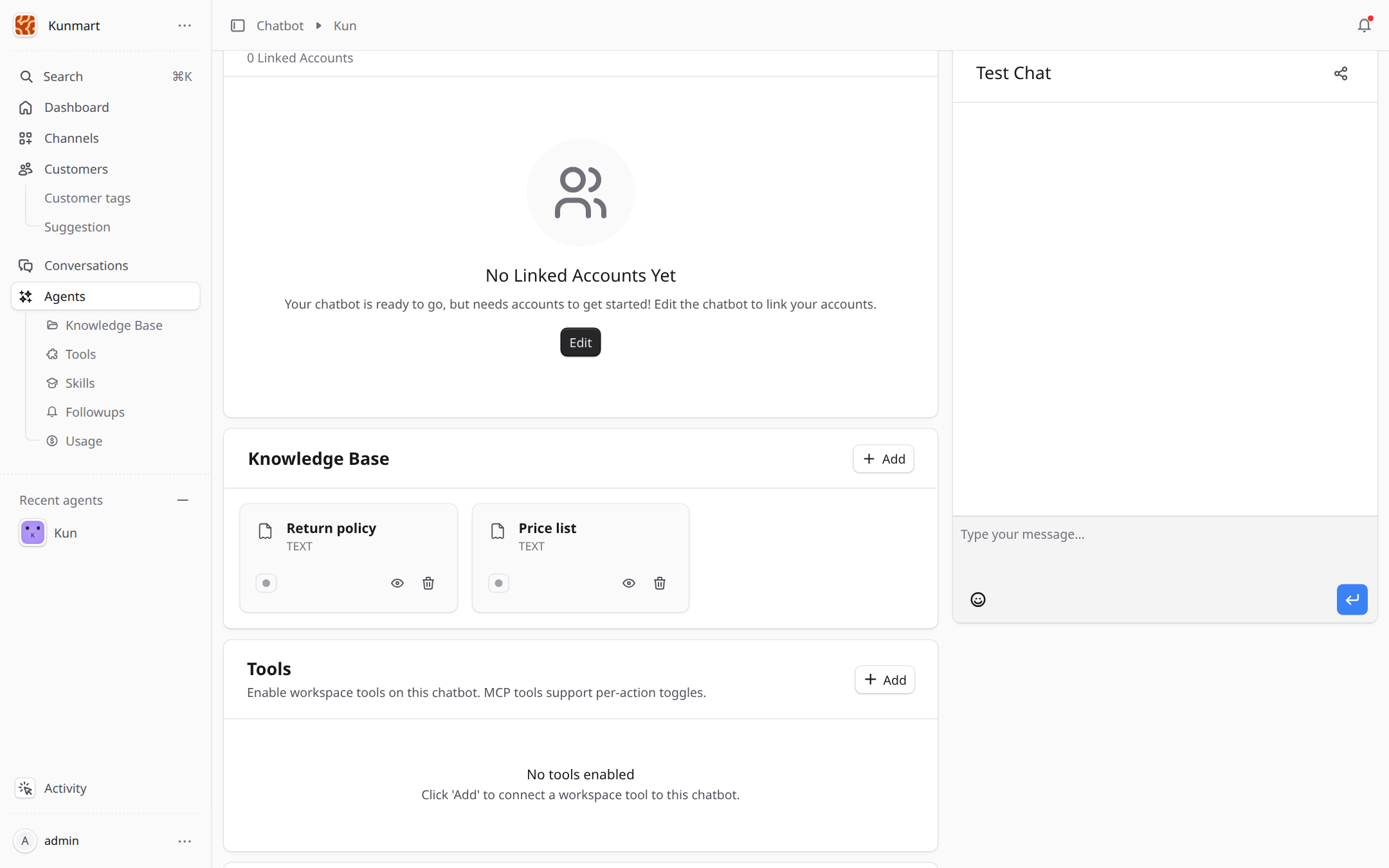
- 1Knowledge Base: the documents this agent answers from. Add links more.
- 2Tools: the systems this agent can use, such as your order API.
- 3Test Chat: talk to the agent privately. Nothing here reaches customers.
Write facts the way you would tell a new staff member. If your shop has no opening hours (for example, online only), say so, so the agent does not invent them.
Agent settings
The Summary panel on the agent's page groups the settings you can change after the builder:
| Section | What it controls |
|---|---|
| Behavior | Typing indicator, auto mark as read, primary and fallback language, welcome message, and the fallback message sent when the agent cannot reply. |
| AI Model | The AI provider and model, temperature (how creative replies are, default 1.0) and the maximum reply length. |
| Handoff Settings | Extra handoff keywords (comma separated), how many failed replies in a row pass the chat to your staff (default 3), and the note your staff see in the handoff notification. |
| Guardrail Settings | Turn on guardrails to screen every incoming message, add your own screening rule, and choose whether a blocked message passes the chat to your staff (on by default). |
The switch at the top of the page turns the agent on or off. The agent's form also has Follow-up rules, which tell the agent when to schedule a reminder. See Follow-ups.
Frequently asked questions
Yes. Each answer in the builder has an edit button, and the agent's page lets you change its instructions, knowledge and tools later. Changes apply to new messages.
It sets how formal the agent sounds, from casual to polite. In Vietnamese it also decides how the agent addresses customers. Pick the style your staff already use in chat.
It follows your answer to the question about unsure cases, for example saying it will check and then passing the chat to you. Add the missing fact to the knowledge base so it can answer next time.