Knowledge base
Add files, web pages and notes to the knowledge base so your agent answers from your own prices, policies and product details.
The knowledge base is where you put the documents your agent answers from: price lists, product sheets, return policies and FAQs. Each item is processed once, then linked to one or more agents. For every question, the agent looks up the relevant part of your documents, so it quotes your facts instead of guessing.
Add an item
Open Knowledge Base under Agents in the sidebar.
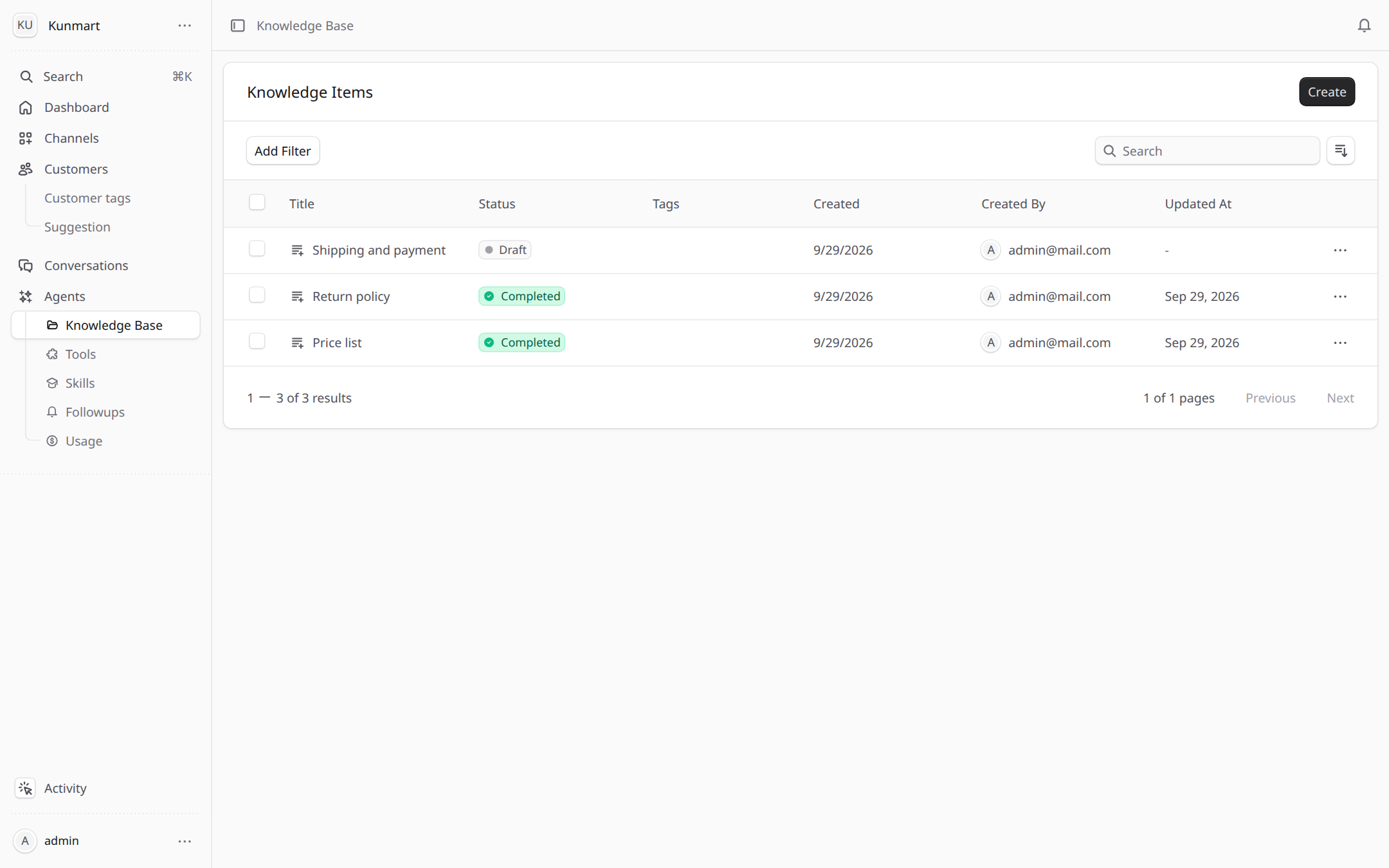
- 1Create adds a new item.
- 2Status shows whether an item is ready. Only Completed items are used.
- 3A Draft item is not used yet. Open its menu (...) and choose Process.
Choose what kind of item to add:
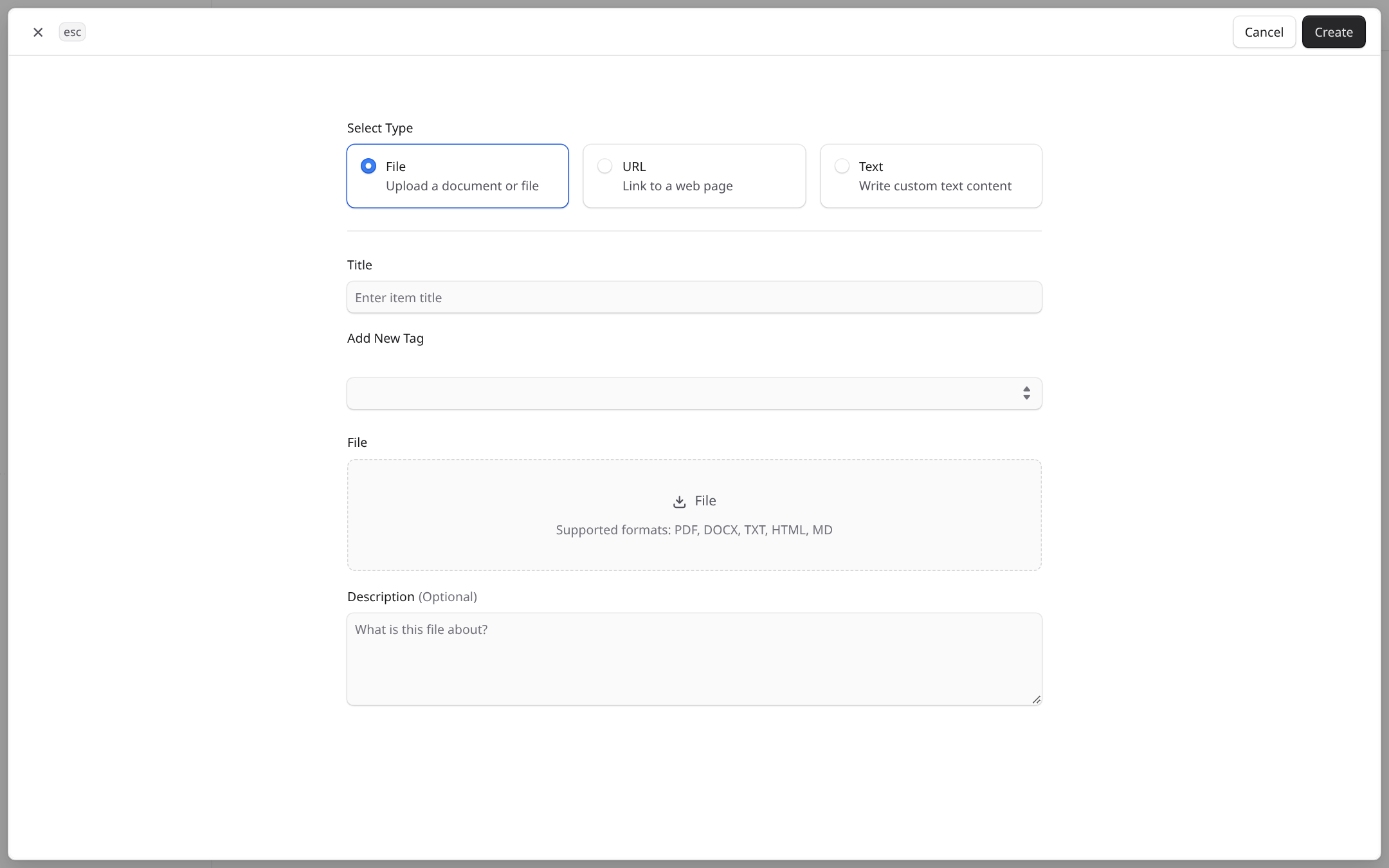
- 1File uploads a document, URL reads a web page, Text is a note you type.
- 2Files can be PDF, DOCX, TXT, HTML or MD.
Files can be up to 5 MB. A URL must be publicly reachable; pages behind a login or on your own computer cannot be read. Use Folders and Tags to keep a large knowledge base in order.
| Status | Meaning |
|---|---|
| Draft | Saved but not processed. The agent does not use it yet. |
| Ready / Processing | Queued or being split and indexed. |
| Completed | Processed and ready for linked agents. |
| Failed | Could not be read. Check the file or URL, then process it again. |
Link items to an agent
Open the agent's page, go to the Knowledge Base section and choose Add. Pick the items this agent should use. An agent only answers from the items linked to it.
Keep it current
When a price or policy changes, edit the item and process it again. Short facts that change often (opening hours, delivery fee) can live in the agent's business facts instead, see Agent builder.
Frequently asked questions
PDF, Word (DOCX), plain text, HTML and Markdown files. For a web page, add its public URL. For short facts, add a text note.
An item is only used after it is processed. Open the item's menu and choose Process, then wait until the status shows Completed.
No. Customers get the answer only. Source references show in your own test chat so you can check where an answer came from.
Agents
The agent builder turns a short description of your business into a working agent by asking one question at a time about tone, facts and rules.
Skills
Skills are written instructions that teach your agent how to handle one kind of request, such as a refund or a complaint, loaded only when needed.